Blank Advent Calendar Template (Free SVG Cut File)
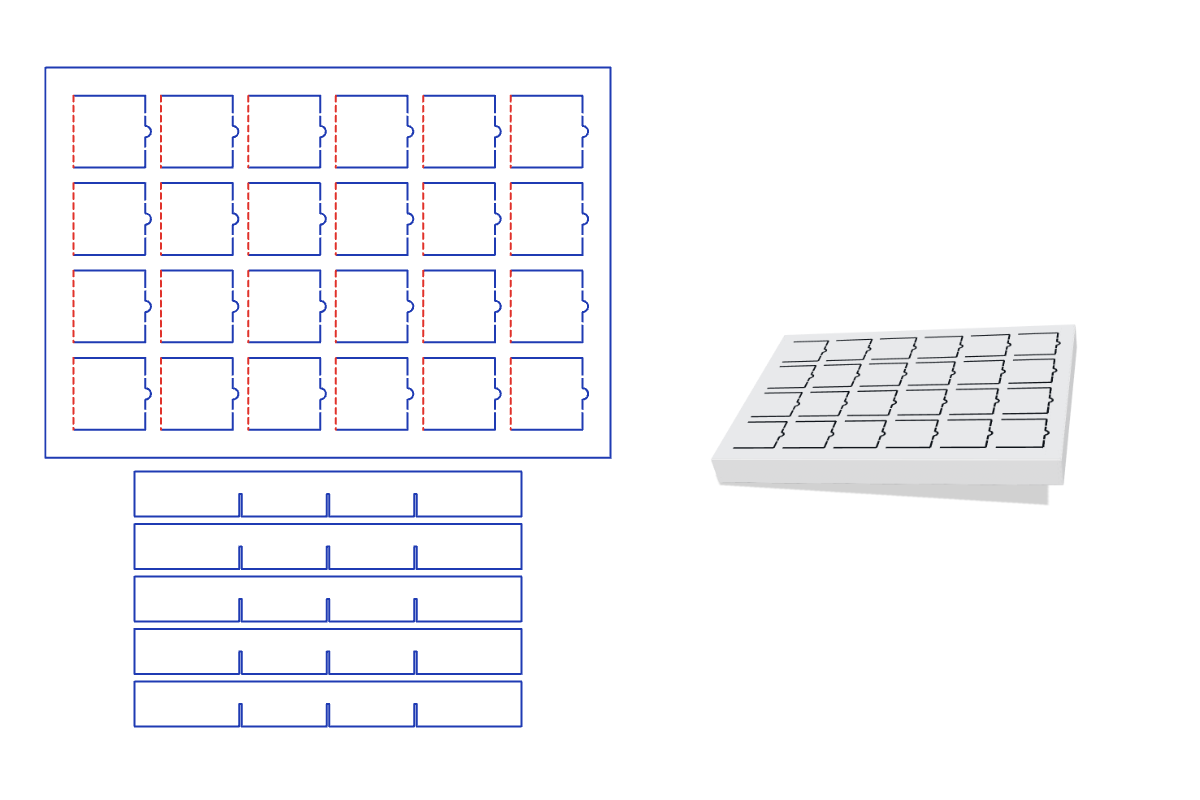
This free blank advent calendar template makes a print-ready dieline at one fixed size, 9.05 × 6.25 × 0.75 in. Pick your options, preview it folded in 3D, and download a 1:1 SVG, PDF or DXF for your Cricut, Silhouette or laser cutter. No signup.
What it's for
A countdown to Christmas you can make your own: number the doors in any order, then decorate them with pens, stamps or stickers. It's a good family or classroom project, and it needs no printer. Start in late November so it's ready for December 1.
About this template
A 24-door calendar with blank doors, about 9 × 6 1/4 in and 3/4 in deep. A door panel glues onto a shallow tray, and eight slot-together dividers keep each treat behind its own door. Each door has a scored hinge, two small uncut ties that hold it shut until it's first opened, and a half-round tab to lift it by. Nothing is printed, so colored or patterned card works well. The size is fixed so that every piece fits on two 12 × 12 in sheets.
Finished size
The finished blank advent calendar is 9.05 × 6.25 × 0.75 in. This template comes in one size, fitted to the cutting mat and print limits, so there are no size inputs in the editor.
How to assemble
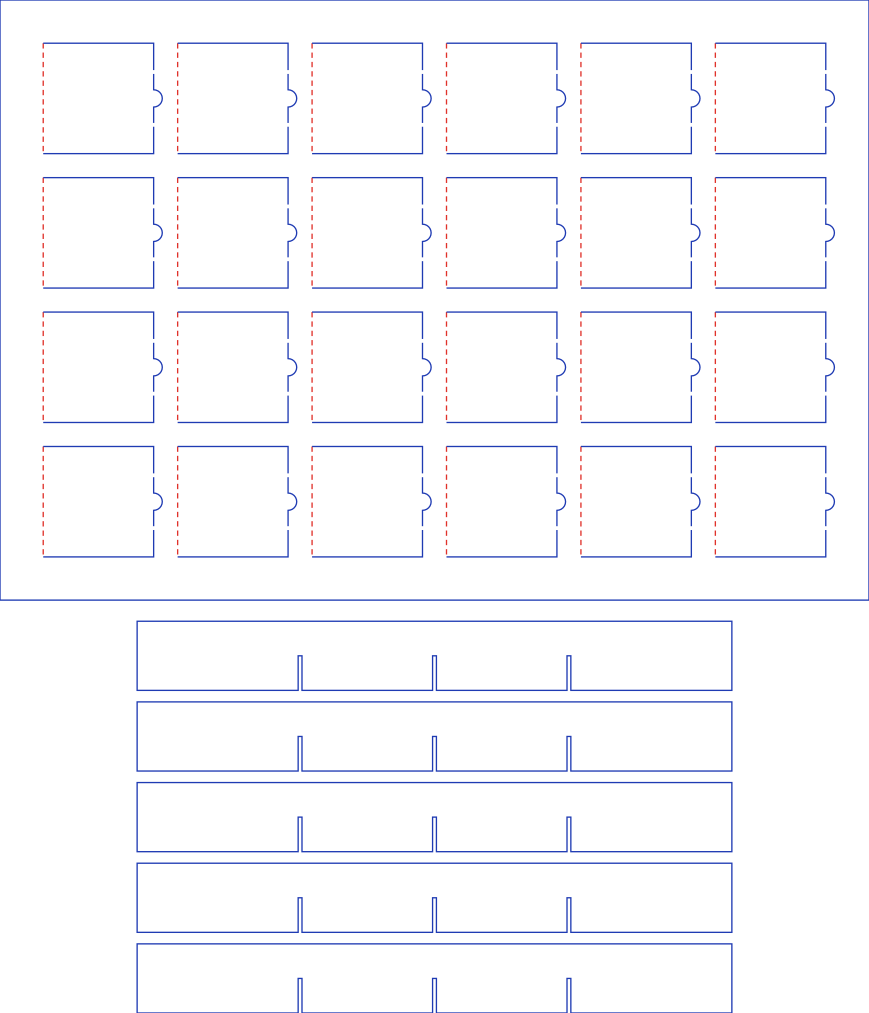
- Cut the door panel and short dividers. Cut sheet 1 from 12 × 12 in card. Set the door hinges to score, not cut, or the doors will fall off.
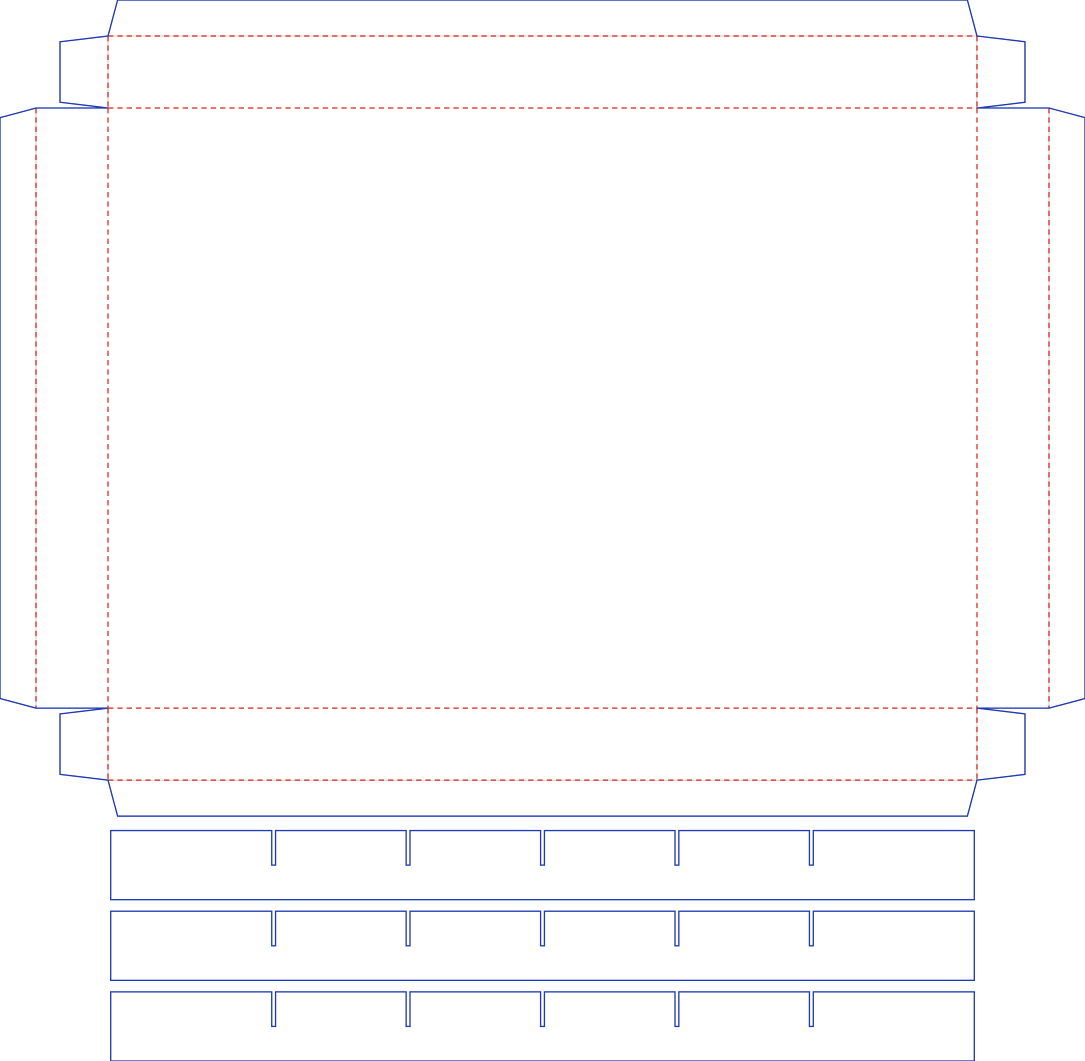
- Cut the tray and long dividers. Cut sheet 2 from 12 × 12 in card, and score the tray's fold lines. Number and decorate the doors while the panel is still flat.
- Slot the dividers together. Push the slots of the short dividers down over the slots of the long dividers to make a grid.
- Fold the tray. Fold the four walls up and glue the corner tabs to the inside of the end walls. Fold the rim flaps in, then set the divider grid in the tray.
- Fill and glue. Put a treat in each section. Glue the panel onto the rim flaps, right side up with its edges in line with the walls.
Materials and settings
The default material thickness is 0.018 in (0.46 mm); set your own in the editor to match your paper or board. Blue lines are cuts and red dashed lines are scores: in Silhouette Studio use Cut by Line Color, and in Cricut Design Space set the red fold lines to Score. Cut one door first as a test: the ties need to suit your card and blade. Add numbers and decoration before you glue the panel on, while it's still flat.
Download the cut files
Free blank advent calendar cut files at exact 1:1 scale, one file for each sheet. You can also preview each sheet in the editor.
Sheet 1: door panel and short dividers: Download SVG Download PDF Download DXF
Sheet 2: tray and long dividers: Download SVG Download PDF Download DXF
Blank Advent Calendar FAQ
- Do I need a printer for the blank advent calendar template?
- No. Nothing is printed: it cuts from two 12 × 12 in sheets of card, and you add the numbers yourself. For printed numbers, use the numbered advent calendar.
- How do I number the blank doors?
- Any way you like, in any order: by hand, with stickers or with stamps. Do it while the panel is still flat, and keep the door tabs clear so they're easy to lift.
- What size are the blank calendar's doors and sections?
- Each door is 1.15 in square, and each section behind it is about 1.4 in across and 0.7 in deep. The finished calendar is 9.05 × 6.25 in and 0.75 in deep.
- Is the blank advent calendar template free?
- Yes. It runs free in your browser with no signup and no watermark, and what you make is yours and free to use.
- Which files do I get, and do they work with Cricut and Silhouette?
- You get a 1:1 PDF, SVG and DXF. Use SVG for Cricut Design Space and Silhouette Designer Edition, or DXF for the free Silhouette edition. Blue lines cut and red lines score.