Santa Treat Box Template (Free Dieline — Any Size)
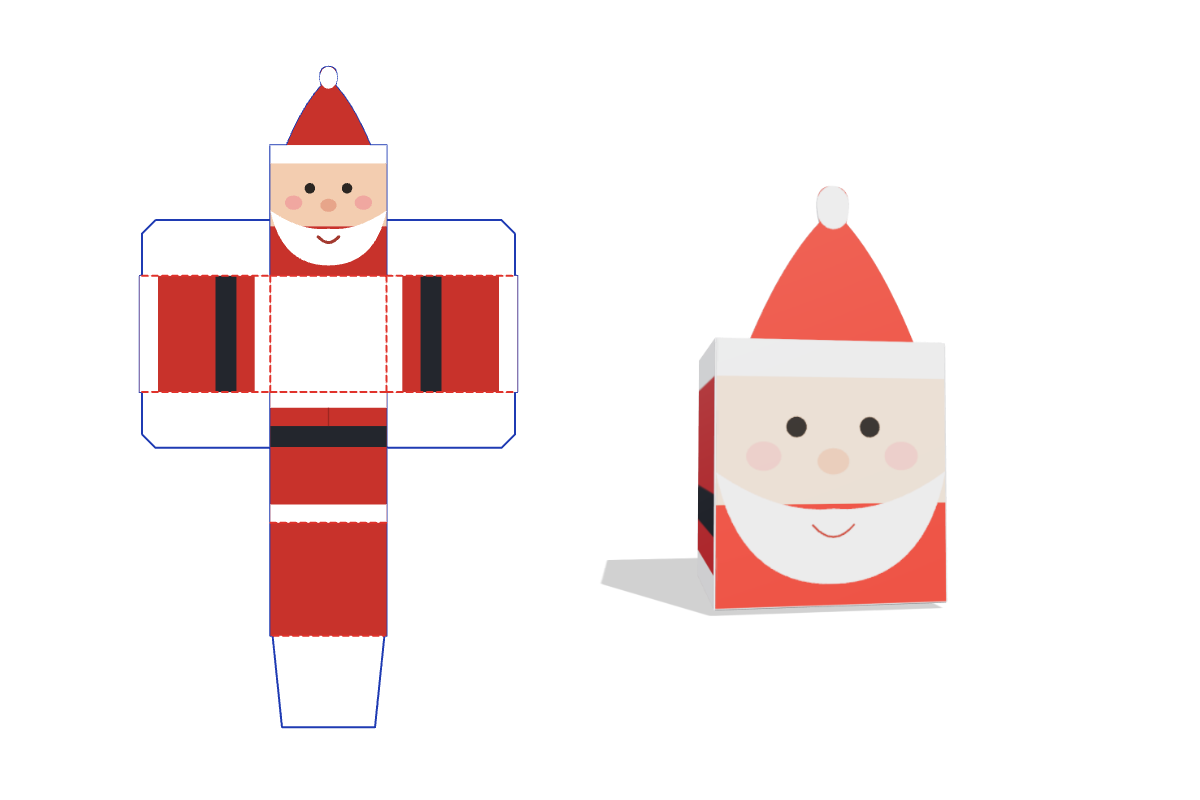
This free Santa treat box template makes a print-ready dieline at the exact size you type. Pick your options, preview it folded in 3D, and download a 1:1 SVG, PDF or DXF for your Cricut, Silhouette or laser cutter. No signup.
Customize the size in the editor →
What it's for
Made for Christmas: fill them with candy as stocking stuffers, classroom gifts or holiday party favors. They also work as place-setting favors on a Christmas table.
About this template
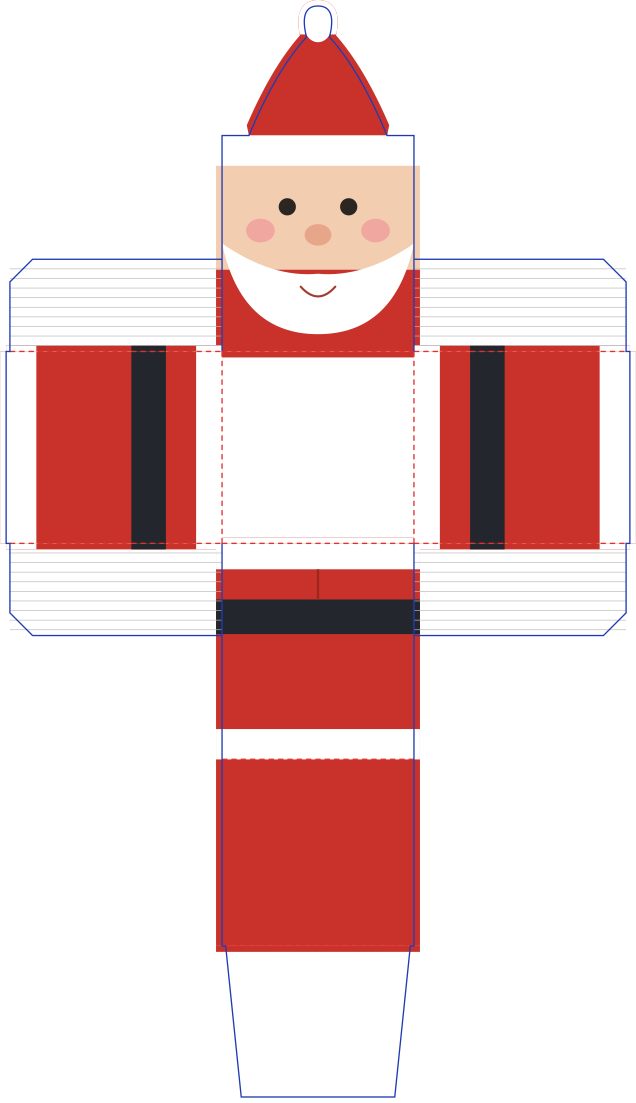
A full Santa treat box with a centered hat rising from the front wall. The front has a printed face with a brim, cheeks, a beard and a smile. The back wall shows the back of his suit, with a black belt, a coat vent and a white hem. The lid is red, and the red side walls carry the belt and hem around to the front corners. The lid is sized for card thickness because the hat sits right where the lid closes.
Common santa treat box sizes
| Size | L × W × H (in) | L × W × H (mm) |
|---|---|---|
| 12 × 12 in mat | 2 × 2 × 2.25 in | 51 × 51 × 57 mm |
| Mini favour | 2.25 × 2.25 × 2.5 in | 57 × 57 × 64 mm |
| Treat box | 3 × 3 × 3.5 in | 76 × 76 × 89 mm |
The default is 2 × 2 × 2.25 in. Every size is adjustable in the editor.
How to assemble
- Print the design. Print every wall and the lid. The suit looks upside down on the flat piece, because the top of the back wall meets the lid. It reads upright once folded.
- Cut and score. Cut the outline, following the curve of the hat, and score the 10 fold lines.
- Fold and glue. Fold the walls up and glue the corner flaps. The hat has no fold at its base, so it stands straight up with the front wall.
- Fill and close. Fill the box, then fold the lid over and tuck the flap in behind the front wall, below the hat.
Materials and settings
The default material thickness is 0.018 in (0.46 mm); set your own in the editor to match your paper or board. Blue lines are cuts and red dashed lines are scores: in Silhouette Studio use Cut by Line Color, and in Cricut Design Space set the red fold lines to Score. The hat is one layer of card, so its back shows the unprinted side. Use a sturdy card so it stays upright, and print double-sided or glue on a second hat if the back will show.
Download the default size
Free santa treat box cut files at the default 2 × 2 × 2.25 in, exact 1:1 scale. Need another size? Customize it in the editor.
Download SVG Download PDF Download DXF
Santa Treat Box FAQ
- Does the full Santa box fit on a 12 x 12 inch mat?
- Yes, this Santa treat box template fits at the default 2 x 2 x 2.25 inch size. The hat makes the flat piece about 11.4 inches tall, so larger sizes need a 12 x 24 inch mat.
- Can I change the colors?
- Yes. The hat, suit, trim, belt and face are separate color groups, and a change to the suit or belt applies on every wall that shows it.
- Is the santa treat box template free?
- Yes. It runs free in your browser with no signup and no watermark, and you can use what you make for personal and commercial projects.
- Which files do I get, and do they work with Cricut and Silhouette?
- You get a 1:1 PDF, SVG and DXF. Use SVG for Cricut Design Space and Silhouette Designer Edition, or DXF for the free Silhouette edition. Blue lines cut and red lines score.