Shoulder Box Template (Free Dieline — Any Size)
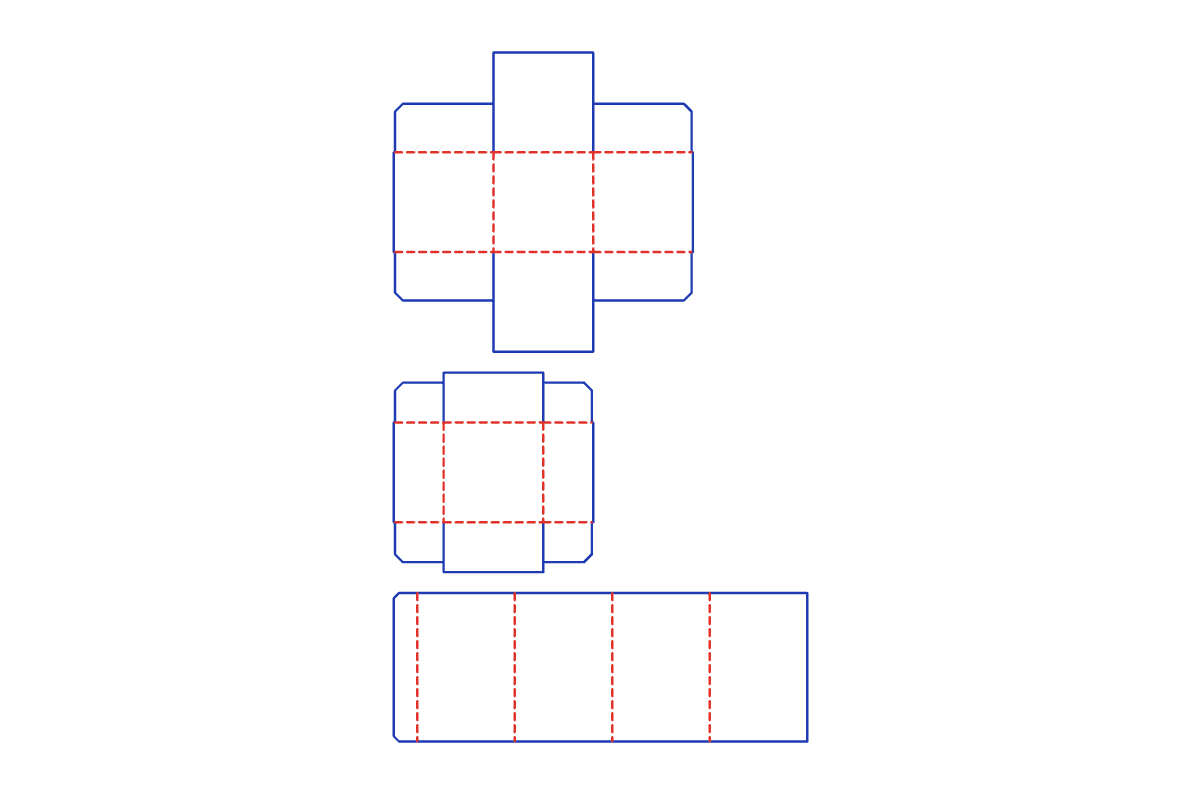
This free shoulder box template makes a print-ready dieline at the exact size you type. Pick your options, preview the layout, and download a 1:1 SVG, PDF or DXF for your Cricut, Silhouette or laser cutter. No signup.
Customize the size in the editor →
What it's for
Use it for candles, perfume, cosmetics, jewelry and other premium gifts, where the lid lifting off a visible shoulder feels special. Because you type the floor size and height, it fits a specific jar or bottle.
About this template
A three-piece setup box: a base tray, a neck sleeve that glues inside the base and stands above its rim, and a lid tray that slides down over the neck and sits flush on the base. The neck and lid are sized from your floor size, closed height and material thickness, with an adjustable fit gap, and you choose how deep the lid is.
Common shoulder box sizes
| Size | L × W × H (in) | L × W × H (mm) |
|---|---|---|
| Candle | 3.5 × 3.5 × 4 in | 89 × 89 × 102 mm |
| Perfume | 2.5 × 2.5 × 5 in | 64 × 64 × 127 mm |
| Jewelry | 3 × 3 × 2 in | 76 × 76 × 51 mm |
| Gift | 5 × 4 × 3 in | 127 × 102 × 76 mm |
The default is 3 × 3 × 4.5 in. Every size is adjustable in the editor.
How to assemble
- Cut and score. Cut the three pieces and score their fold lines.
- Build the base and lid. Fold up the walls of the base tray and the lid tray and glue their corner flaps.
- Make the neck. Fold the neck into a tube along its scores and glue the side seam.
- Glue in the neck. Push the neck down inside the base until it sits on the floor, and glue it to the inside walls. It stands up above the rim.
- Close. Slide the lid down over the neck until it rests on the base at the shoulder.
Materials and settings
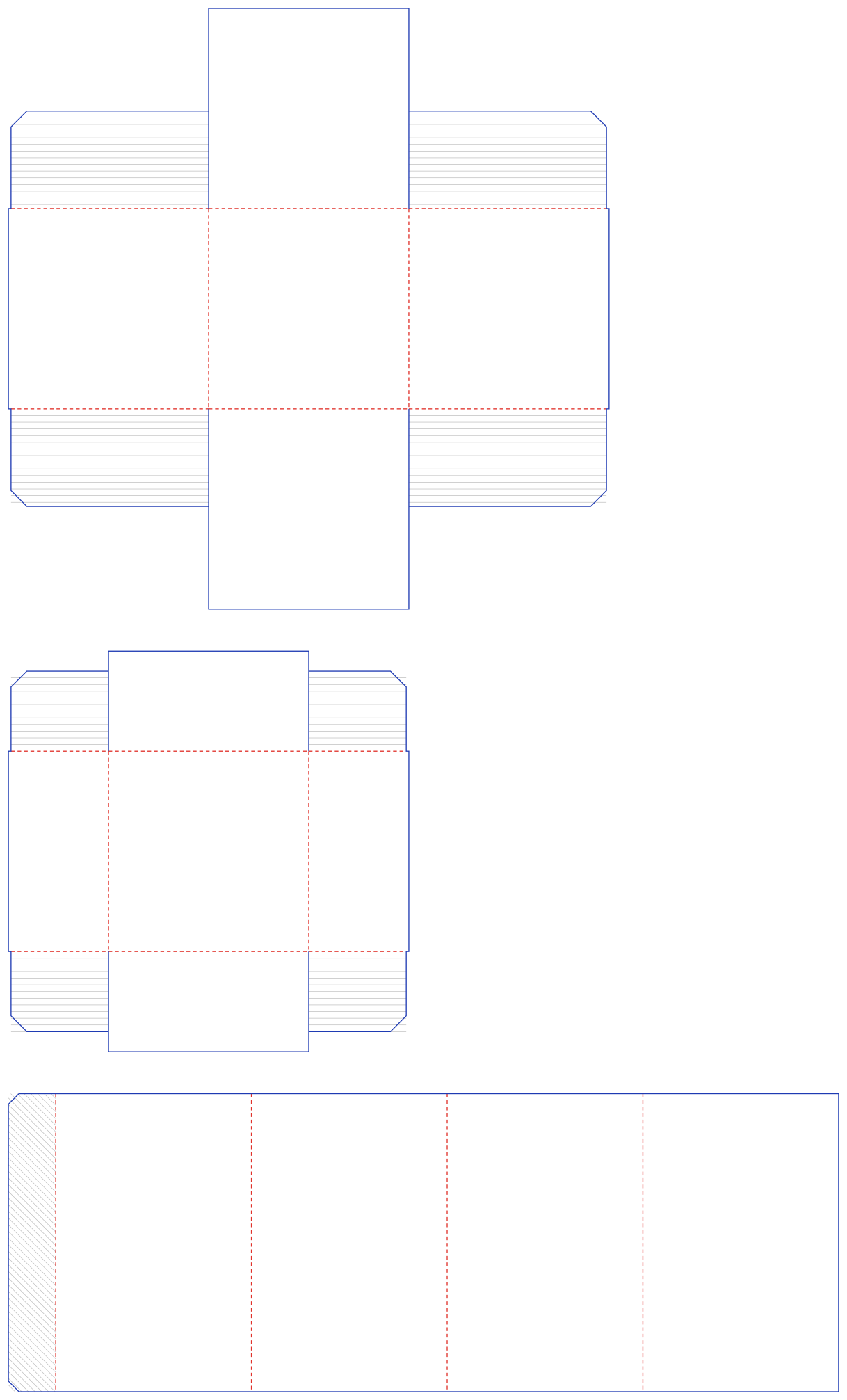
The default material thickness is 0.018 in (0.46 mm); set your own in the editor to match your paper or board. Blue lines are cuts and red dashed lines are scores: in Silhouette Studio use Cut by Line Color, and in Cricut Design Space set the red fold lines to Score. All three pieces come out on one sheet: the base on top, then the lid, then the neck.
Download the default size
Free shoulder box cut files at the default 3 × 3 × 4.5 in, exact 1:1 scale. Need another size? Customize it in the editor.
Download SVG Download PDF Download DXF
Shoulder Box FAQ
- What is a shoulder box?
- A box with a raised neck inside the base. The lid slides over the neck and rests on the base, so the closed box shows a step, or shoulder, where the two meet.
- How do the three pieces of the shoulder box template fit together?
- The neck's outside is the base's inside minus a small fit gap, so it slides in and glues in place. The lid has the same outside size as the base, so it sits flush, and its inside clears the neck.
- Can I change how deep the lid is?
- Yes. Set the lid depth in the editor. The base wall is the closed height minus the lid depth, and the neck always runs the full height inside.
- Is the shoulder box template free?
- Yes. It runs free in your browser with no signup and no watermark, and you can use what you make for personal and commercial projects.
- Which files do I get, and do they work with Cricut and Silhouette?
- You get a 1:1 PDF, SVG and DXF. Use SVG for Cricut Design Space and Silhouette Designer Edition, or DXF for the free Silhouette edition. Blue lines cut and red lines score.