Presentation Folder Template (Free Dieline — Any Size)
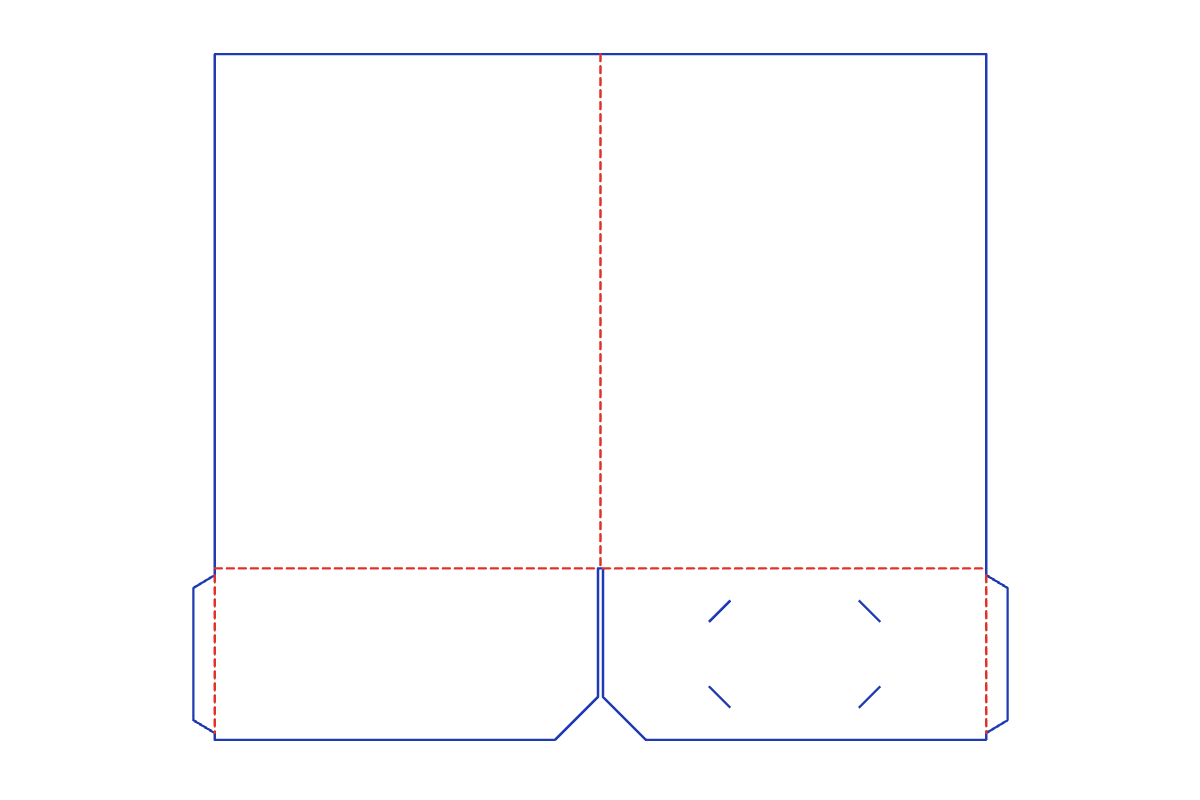
This free presentation folder template makes a print-ready dieline at the exact size you type. Pick your options, preview the layout, and download a 1:1 SVG, PDF or DXF for your Cricut, Silhouette or laser cutter. No signup.
Customize the size in the editor →
What it's for
Use it for proposals, sales kits, conference handouts, school reports and client welcome packs. A folder keeps loose letter or A4 sheets together and gives you a branded cover, with slits on the right pocket for a business card.
About this template
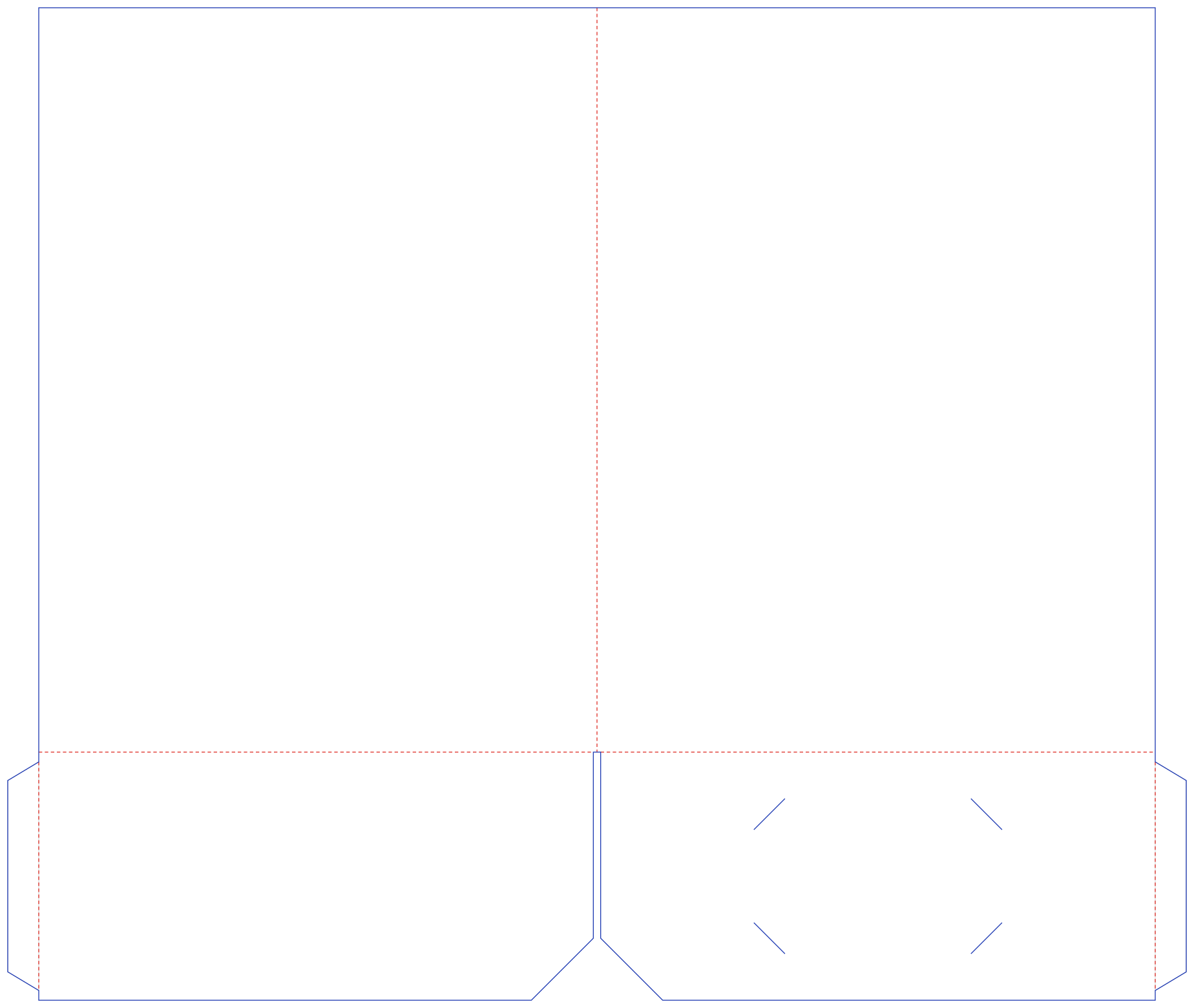
A two-pocket presentation folder: two cover panels joined at the spine, with a pocket folding up from the bottom of each cover. Each pocket has a tapered glue tab on its outer edge that folds behind it and glues to the inside of the cover. Set a spine width to hold a thicker stack, and turn the business-card slits on or off. The pockets' inner corners are angled so papers are easy to reach.
Common presentation folder sizes
| Size | L × W × H (in) | L × W × H (mm) |
|---|---|---|
| Letter folder | 9 × 12 × 4 in | 229 × 305 × 102 mm |
| A4 folder | 8.661 × 12.205 × 3.937 in | 220 × 310 × 100 mm |
| Half-letter folder | 6 × 9 × 3 in | 152 × 229 × 76 mm |
The default is 9 × 12 × 4 in. Every size is adjustable in the editor.
How to assemble
- Cut and score. Cut the outline and the four card slits, then score the spine, the two pocket folds and the two glue-tab folds.
- Fold up the pockets. Fold each pocket up along the bottom edge of its cover so it lies on the inside of the folder.
- Glue the tabs. Fold each glue tab behind its pocket and glue it to the inside of the cover. The glue areas are hatched on the dieline.
- Fold the spine. Fold the covers closed along the spine. With a capacity spine, fold along both spine lines.
- Add a card. Tuck the corners of a business card into the four slits on the right pocket.
Materials and settings
The default material thickness is 0.018 in (0.46 mm); set your own in the editor to match your paper or board. Blue lines are cuts and red dashed lines are scores: in Silhouette Studio use Cut by Line Color, and in Cricut Design Space set the red fold lines to Score. A small gap keeps both pockets clear of the spine so each one folds on its own.
Download the default size
Free presentation folder cut files at the default 9 × 12 × 4 in, exact 1:1 scale. Need another size? Customize it in the editor.
Download SVG Download PDF Download DXF
Presentation Folder FAQ
- What size presentation folder template holds letter paper?
- The letter folder preset has 9 × 12 in covers and 4 in pockets, which holds 8.5 × 11 in sheets. There is also an A4 folder (220 × 310 mm) and a half-letter folder (6 × 9 in).
- What does the spine width do?
- At 0 the folder has a single center fold. A wider spine adds a second fold so the folder closes flat around a thicker stack of paper.
- Can I leave out the business card slits?
- Yes. Turn the slits off in the editor. They are only added when a standard 3.5 × 2 in card fits on the right pocket.
- Is the presentation folder template free?
- Yes. It runs free in your browser with no signup and no watermark, and you can use what you make for personal and commercial projects.
- Which files do I get, and do they work with Cricut and Silhouette?
- You get a 1:1 PDF, SVG and DXF. Use SVG for Cricut Design Space and Silhouette Designer Edition, or DXF for the free Silhouette edition. Blue lines cut and red lines score.
Related templates
Make your presentation folder now →
Language: English · Português (Brasil) · Español · العربية · Bahasa Indonesia