Dodecahedron Calendar 2027 Template (Free Dieline — Any Size)
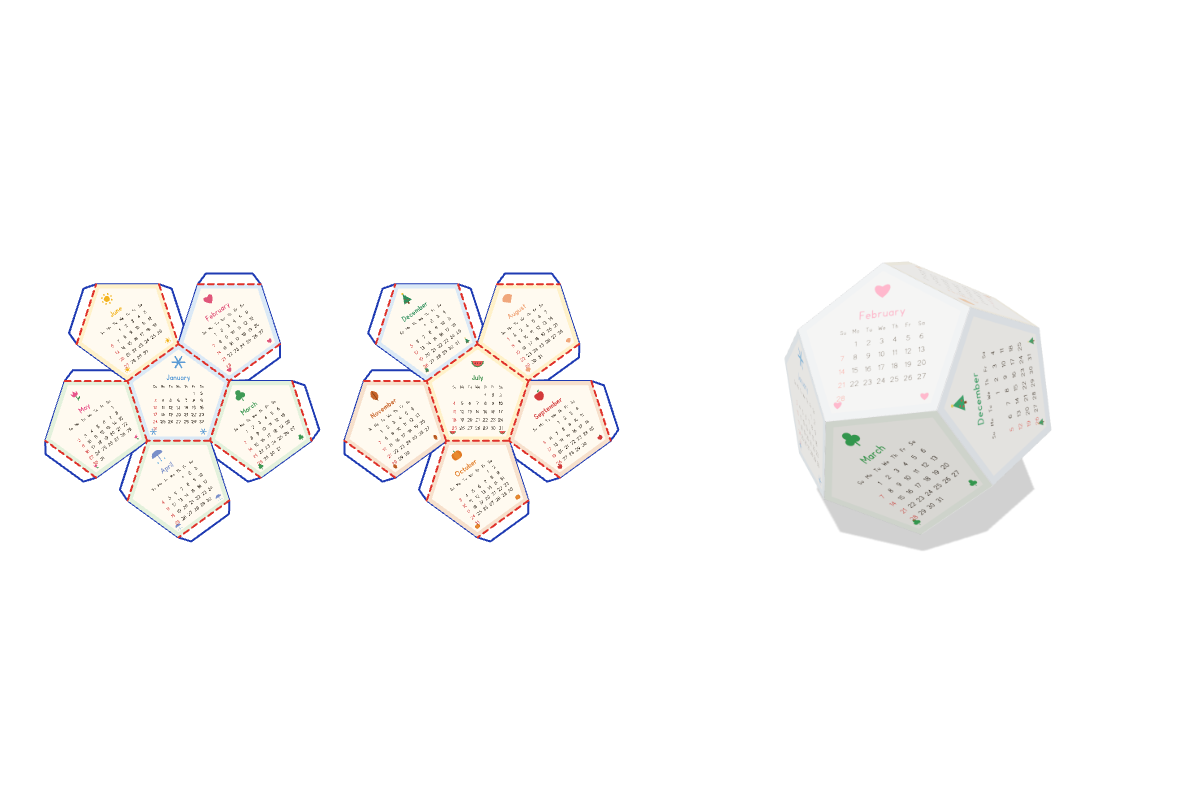
This free dodecahedron calendar 2027 makes a print-ready dieline at the exact size you type. Pick your options, preview it folded in 3D, and download a 1:1 SVG, PDF or DXF for your Cricut, Silhouette or laser cutter. No signup.
Customize the size in the editor →
What it's for
A desk calendar that is also a little sculpture: twelve faces, one for each month of 2027, folded into a ball that sits on a desk or a shelf. Turn this month to the front. It makes a thoughtful New Year gift or a fun geometry craft with kids.
About this template
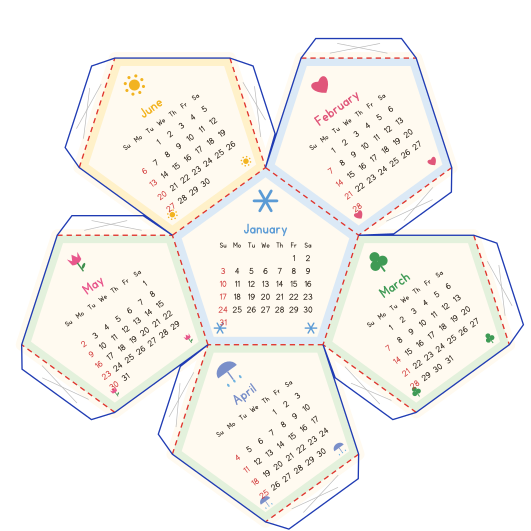
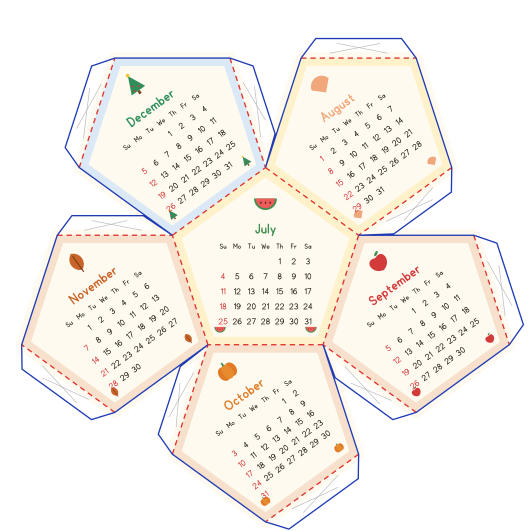
A regular dodecahedron has twelve five-sided faces, so each month gets its own face with its name, weekday letters and dates. It prints and cuts as two flowers of six faces: January to June and July to December, each on its own sheet. Glue tabs close each flower into a cup, then join the two cups into a ball. Choose a style: Seasonal illustrations with a small picture for every month, Monoline with one thin line of the month's color, Big numeral with the month's number set large and pale behind the dates, or Kraft and ink with a stitched border. Every color can be changed.
Common dodecahedron desk calendar 2027 sizes
| Size | Width × height (in) | Width × height (mm) |
|---|---|---|
| Desk | 1.2 × 1.2 in | 30 × 30 mm |
| Mini | 1 × 1 in | 25 × 25 mm |
| Large | 1.4 × 1.4 in | 36 × 36 mm |
The default is 1.2 × 1.2 in. Every size is adjustable in the editor.
How to assemble
- Print and cut both sheets. Print sheet 1 (January to June) and sheet 2 (July to December), then cut and score them.
- Fold. Fold every scored line toward the blank side, including the tabs.
- Make two cups. On each flower, glue each petal's side tab behind the next petal so the six faces close into a cup.
- Join the cups. Turn one cup over the other, line up the edges and glue the rim tabs inside. Press each face from inside with a pencil end while the glue sets.
Materials and settings
The default material thickness is 0.018 in (0.46 mm); set your own in the editor to match your paper or board. Blue lines are cuts and red dashed lines are scores: in Silhouette Studio use Cut by Line Color, and in Cricut Design Space set the red fold lines to Score. Use smooth white card for the bright styles and kraft card for Kraft and ink. A glue stick or quick-grab craft glue works best on the small tabs.
Download the cut files
Free dodecahedron desk calendar 2027 cut files at exact 1:1 scale, one file for each sheet. You can also preview each sheet in the editor.
Sheet 1: January to June: Download SVG Download PDF Download DXF
Sheet 2: July to December: Download SVG Download PDF Download DXF
Dodecahedron Desk Calendar 2027 FAQ
- How big is the dodecahedron calendar 2027?
- With the default 1.2 inch faces the finished ball is about 2.7 inches across, and each sheet is about 5.4 inches square, so it fits a letter page or Cricut Print Then Cut. The Mini preset makes a 2.2 inch ball and the Large preset a 3.1 inch ball.
- Which months are on which sheet?
- Sheet 1 has January in the middle with February to June around it. Sheet 2 has July in the middle with August to December around it.
- How does it stand?
- A dodecahedron rests flat on any face, so turn it until the current month faces you.
- Is the dodecahedron desk calendar 2027 template free?
- Yes. It runs free in your browser with no signup and no watermark, and what you make is yours and free to use.
- Which files do I get, and do they work with Cricut and Silhouette?
- You get a 1:1 PDF, SVG and DXF. Use SVG for Cricut Design Space and Silhouette Designer Edition, or DXF for the free Silhouette edition. Blue lines cut and red lines score.