Coffee Cup Sleeve Template (Free SVG Cut File — Any Size)
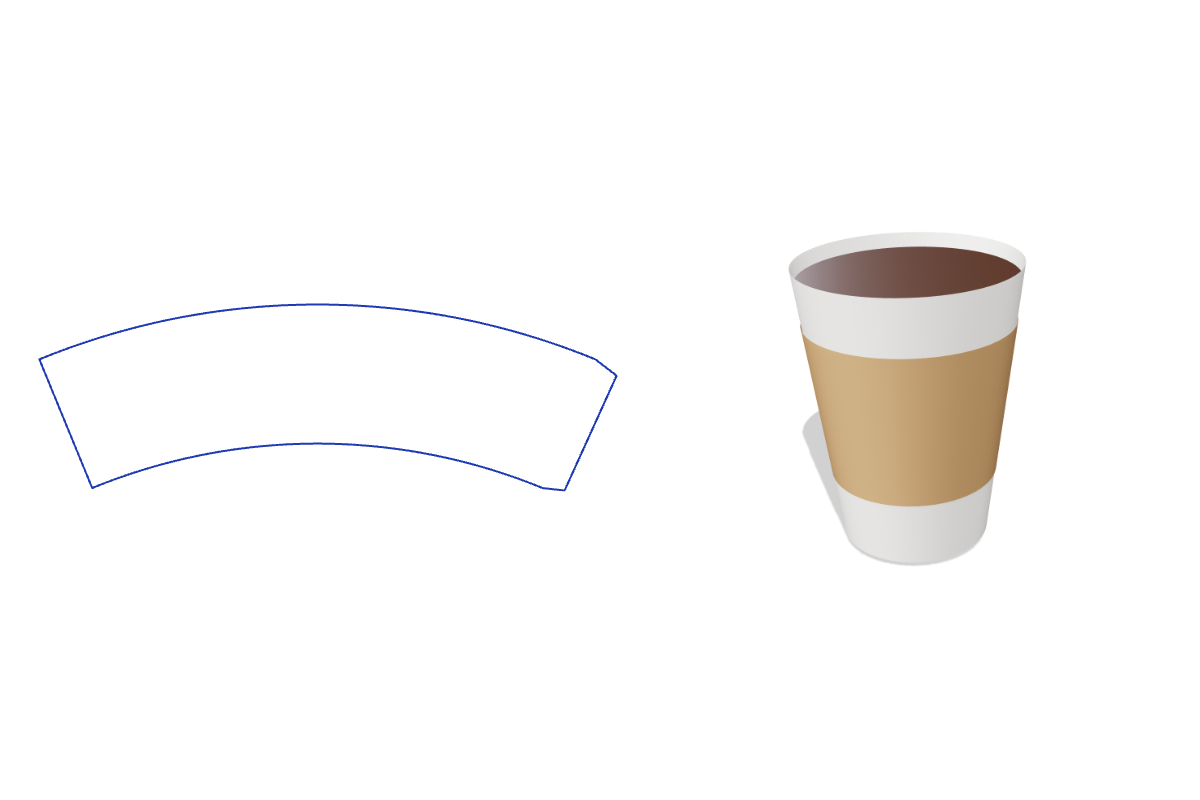
This free coffee cup sleeve template makes a print-ready dieline at the exact size you type. Pick your options, preview it folded in 3D, and download a 1:1 SVG, PDF or DXF for your Cricut, Silhouette or laser cutter. No signup.
Customize the size in the editor →
What it's for
Use it for cafe-style gifts, coffee-bar weddings, teacher and thank-you gifts, bake sales and holiday drinks. You type your cup's top diameter, bottom diameter and height, so it fits 8, 12 and 16 oz takeaway cups or any cup you measure, instead of a one-size printable.
About this template
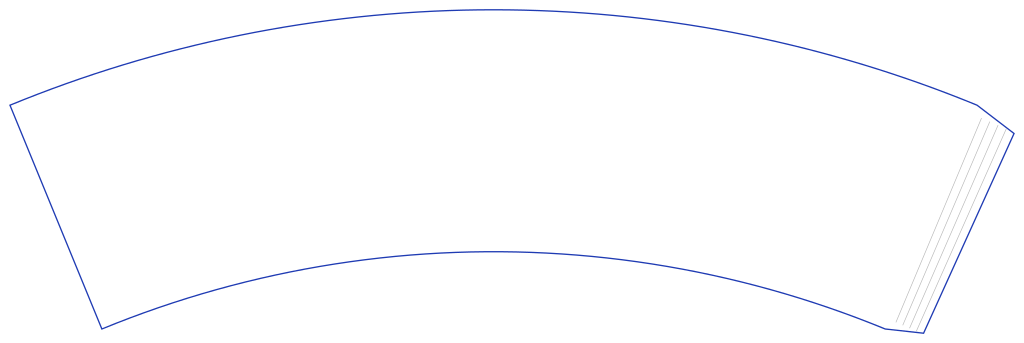
A curved card band that slips around a takeaway cup so it is comfortable to hold. A paper cup is a cone with its tip cut off, so the band unrolls flat into a curved ring segment. You enter the cup's top diameter, bottom diameter and height, and the curve is calculated from the cup's taper at the height where the sleeve sits. The ends join with a glue tab, or with two slits that lock together with no glue. You can add scalloped edges, a row of small cut-out shapes, or split it into two pieces so it fits on a US Letter page.
Common coffee cup sleeve sizes
| Size | L × W × H (in) | L × W × H (mm) |
|---|---|---|
| 8 oz cup | 2.25 × 3.125 × 3.5 in | 57 × 79 × 89 mm |
| 12 oz cup | 2.375 × 3.5 × 4.5 in | 60 × 89 × 114 mm |
| 16 oz cup | 2.375 × 3.5 × 5.25 in | 60 × 89 × 133 mm |
The default is 2.375 × 3.5 × 4.5 in. Every size is adjustable in the editor.
How to assemble
- Cut the sleeve. Cut the curved band. There are no fold lines. For the slit lock, also cut the two slits and the small round holes at their ends.
- Curve it into a ring. Bend the band into a ring with the longer curved edge at the top, so it matches the wider rim of the cup.
- Join the ends. Glue tab: put glue on the hatched tab and press the other end over it. Slit lock: slide the slit cut up from the bottom edge into the slit cut down from the top edge until the ends lock. For two pieces, join both seams.
- Slide it onto the cup. Slide the sleeve up from the bottom of the cup until it is snug. Because the cup tapers, it stops where it fits.
Materials and settings
The default material thickness is 0.012 in (0.3 mm); set your own in the editor to match your paper or board. Blue lines are cuts and red dashed lines are scores: in Silhouette Studio use Cut by Line Color, and in Cricut Design Space set the red fold lines to Score. Use cardstock of 65 lb (175 gsm) or heavier, especially for the slit lock. A one-piece 12 or 16 oz sleeve is about 10.5 in wide, so print it on A4 landscape or choose two pieces for US Letter.
Download the default size
Free coffee cup sleeve cut files at the default 2.375 × 3.5 × 4.5 in, exact 1:1 scale. Need another size? Customize it in the editor.
Download SVG Download PDF Download DXF
Coffee Cup Sleeve FAQ
- How do I measure my cup for the coffee cup sleeve template?
- Measure across the rim, across the base, and the height from the table to the rim. Enter those three numbers. Presets for typical 8, 12 and 16 oz cups are included, but cups vary by maker, so measuring your own is best.
- Can I make a cup sleeve without glue?
- Yes. Choose the slit lock: one end has a slit cut up from the bottom edge and the other a slit cut down from the top edge, and they slide into each other. Use cardstock so it holds.
- Will a 12 oz cup sleeve print on US Letter?
- A one-piece 12 or 16 oz sleeve is a little too wide for US Letter, even in landscape. Choose two pieces, which fit on one Letter page, or print one piece on A4 landscape.
- Is the coffee cup sleeve template free?
- Yes. It runs free in your browser with no signup and no watermark, and what you make is yours and free to use.
- Which files do I get, and do they work with Cricut and Silhouette?
- You get a 1:1 PDF, SVG and DXF. Use SVG for Cricut Design Space and Silhouette Designer Edition, or DXF for the free Silhouette edition. Blue lines cut and red lines score.